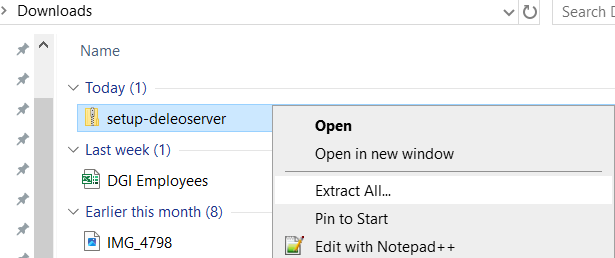
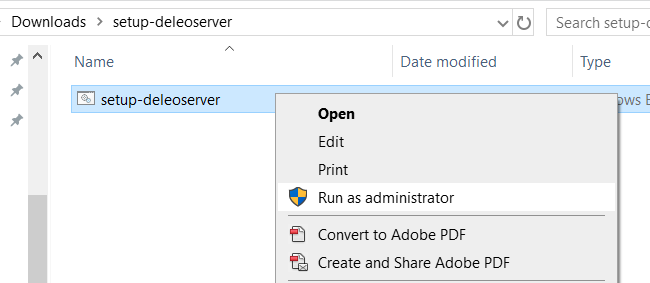
Right-click the batch file inside and select “Run as administrator”
A security warning will appear, select Run
When asked “Do you want to allow this app to make changes to your device?” Select Yes
A window will confirm the update is complete — press any key to exit.
Open File Explorer
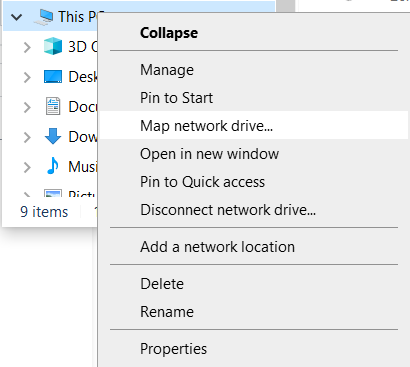
On the left, right-click “This PC” and choose “Map network drive…”
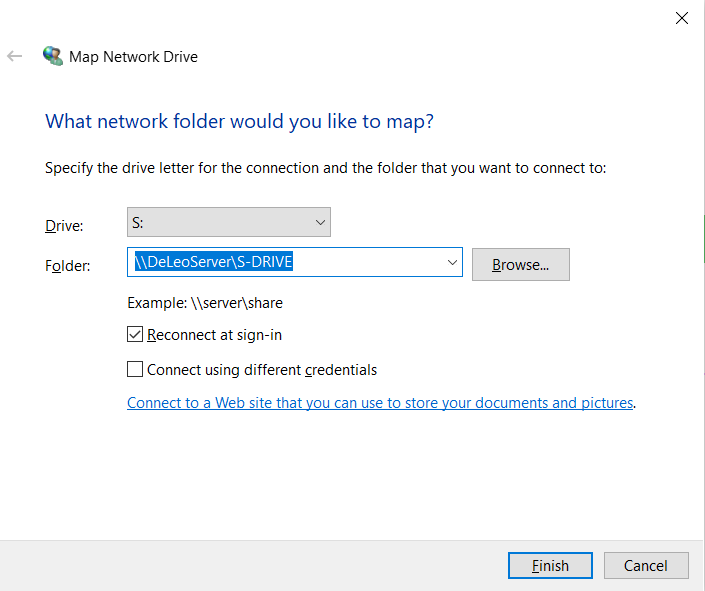
Select the S drive for Share and type “\\DeLeoServer\S-DRIVE” to connect
Enter your username and password
Select Remember my Credentials
If you have access to the HR drive or Management drive, please repeat steps 8 through 10 to mount those drives with the appropriate paths (\\DeLeoServer\HR and \\DeLeoServer\Management)